Please note: PRKS is currently built for the Brazilian market. This English version covers our website only — the product itself is not yet available in other languages, and pricing (in Brazilian reais) and support are Brazil-based.

Skip to content

PRKS App

How can we help?

Search
Voltar para central de dúvidas
  • August 12, 2022
  • 2:28 pm

How do I change my business photo?

Dica: Uma boa foto passa mais credibilidade e confiança para seu cliente.

Para editar:

Existem dois caminhos possíveis:

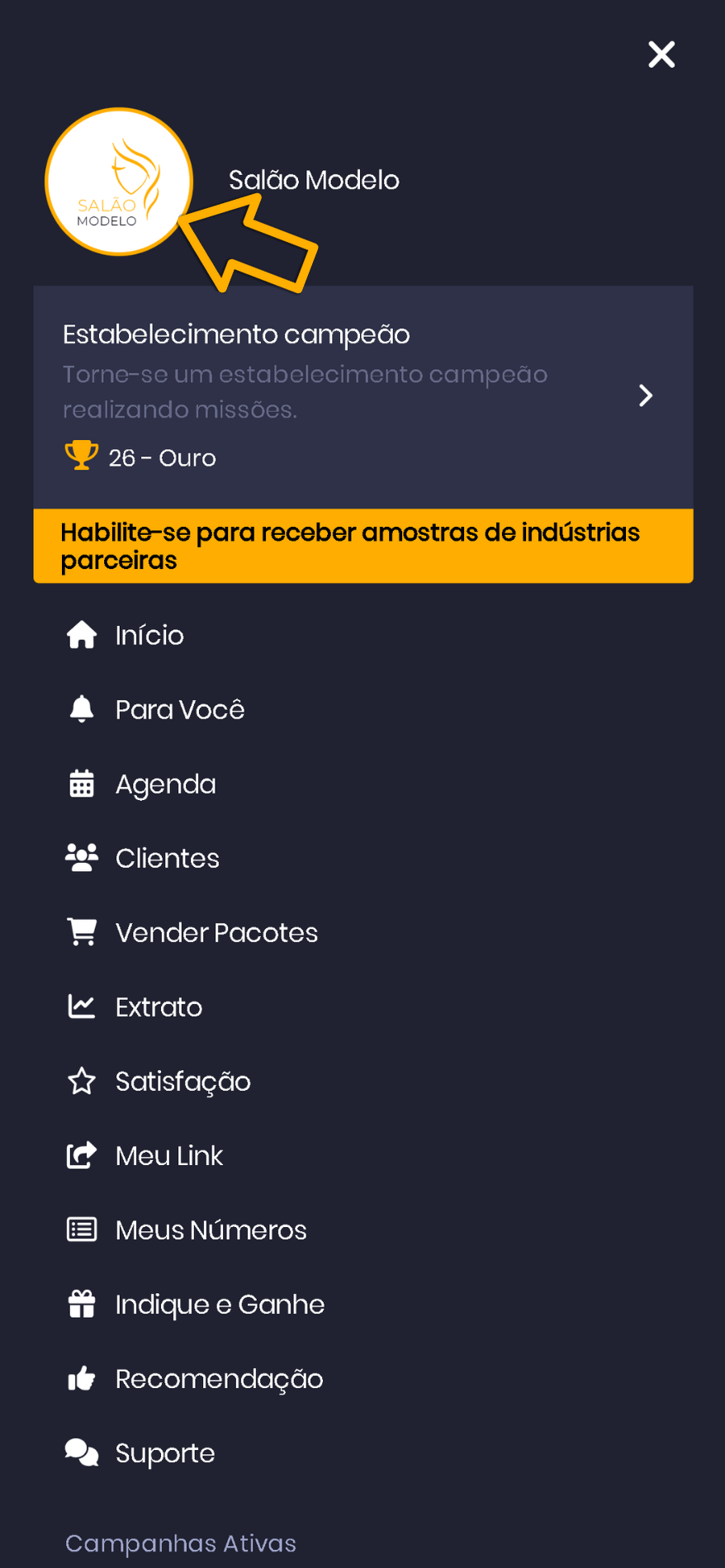
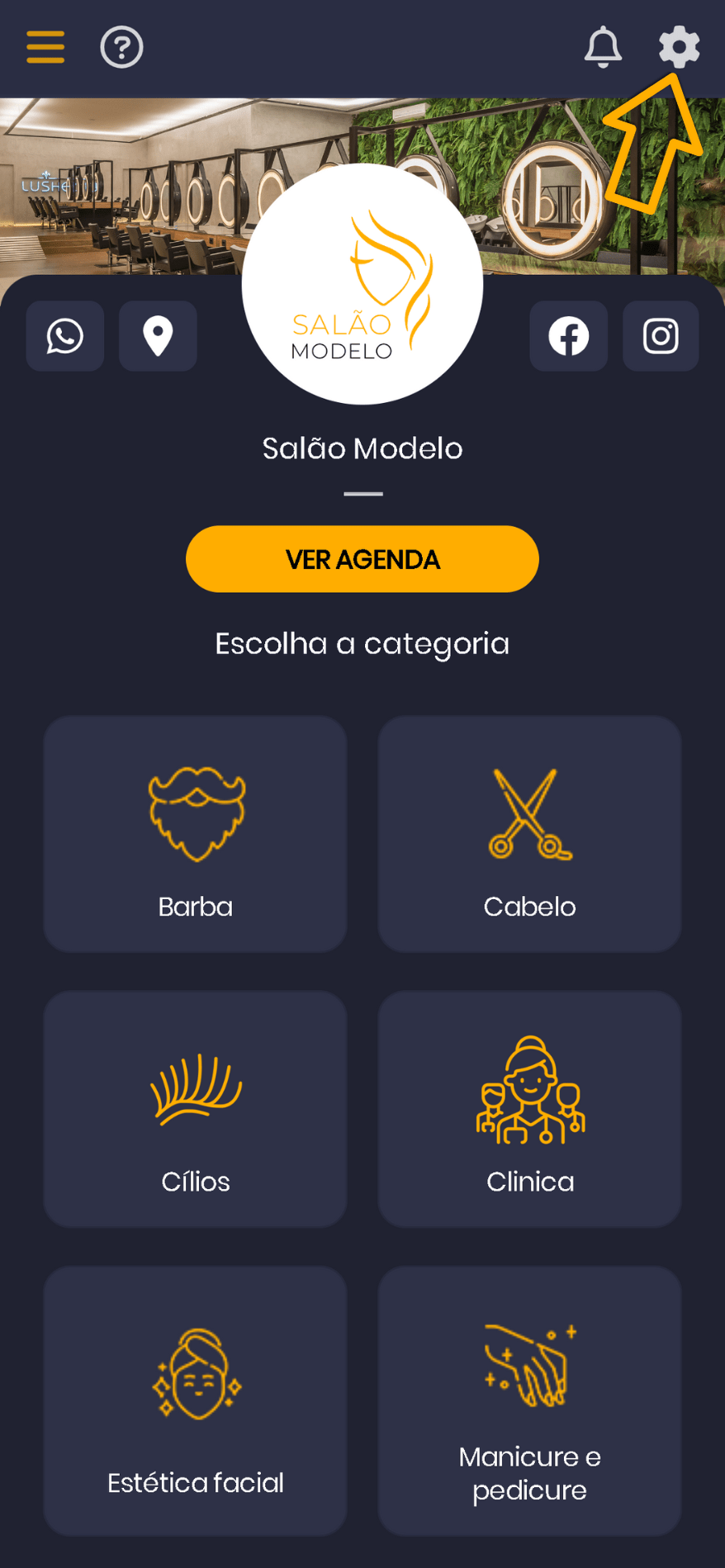
1. Clique no “Menu principal” e depois na foto do estabelecimento
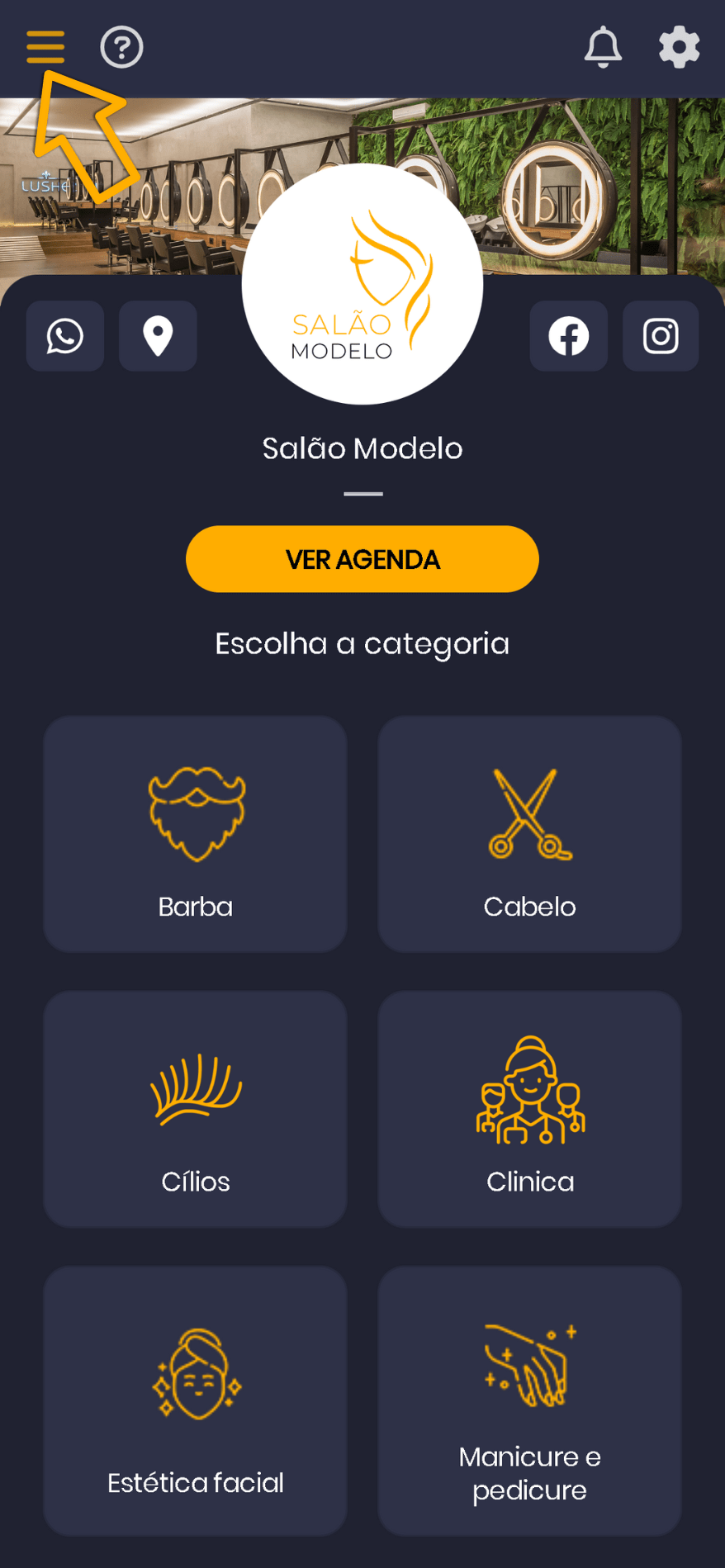
Ou:
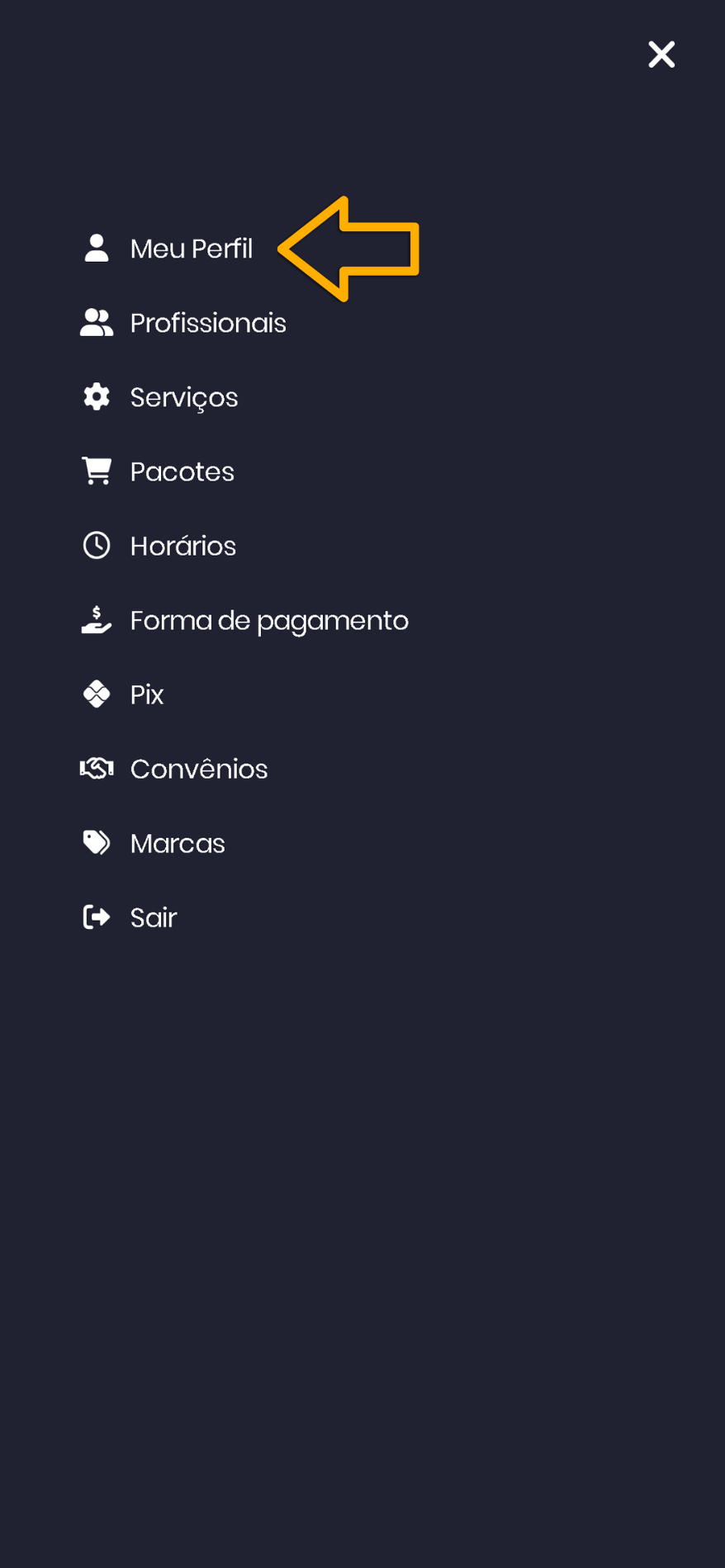
Clique em “Configurações” e depois em “Meu Perfil”
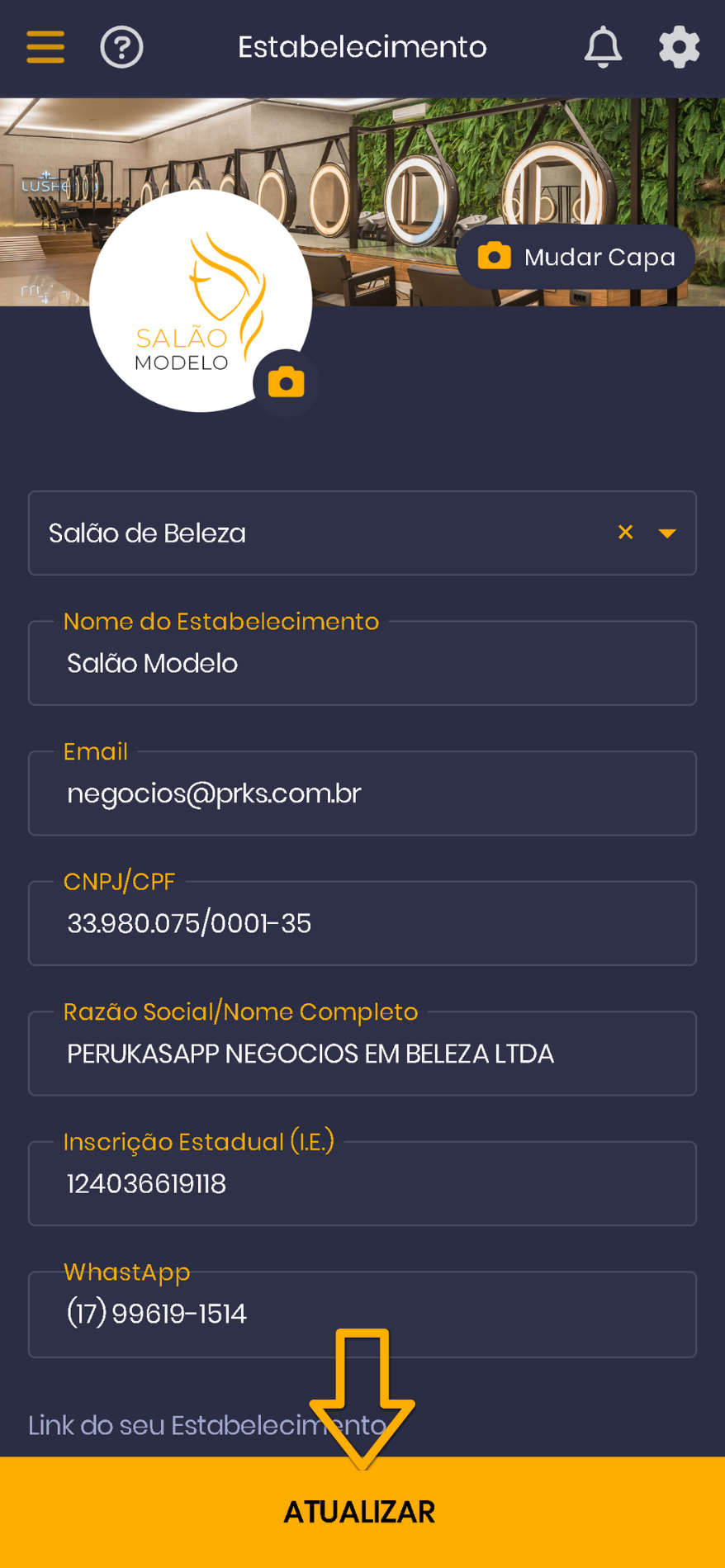
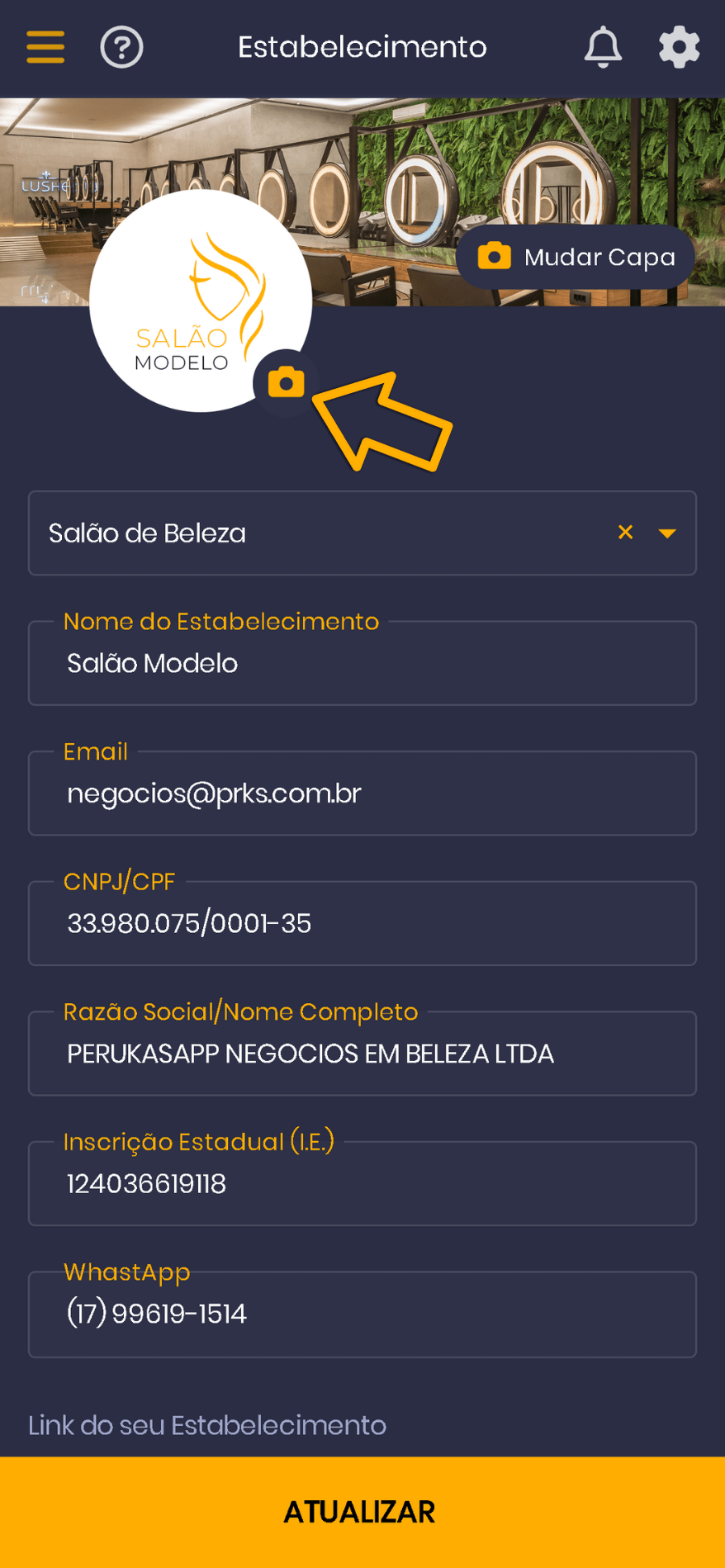
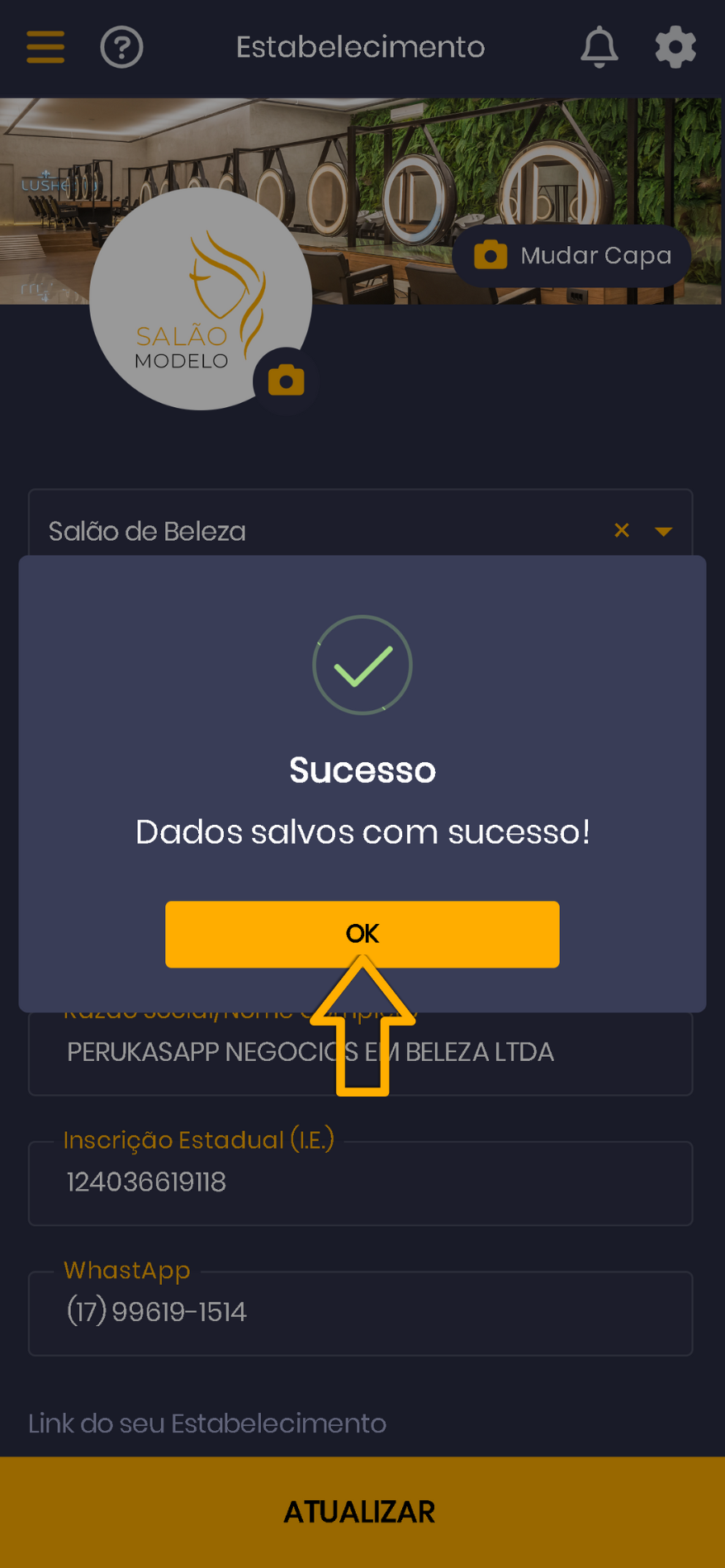
2. Clique no ícone de Câmera para tirar uma nova foto ou selecionar uma de sua galeria. Em seguida ajuste e dimensione a foto utilizando o círculo em amarelo
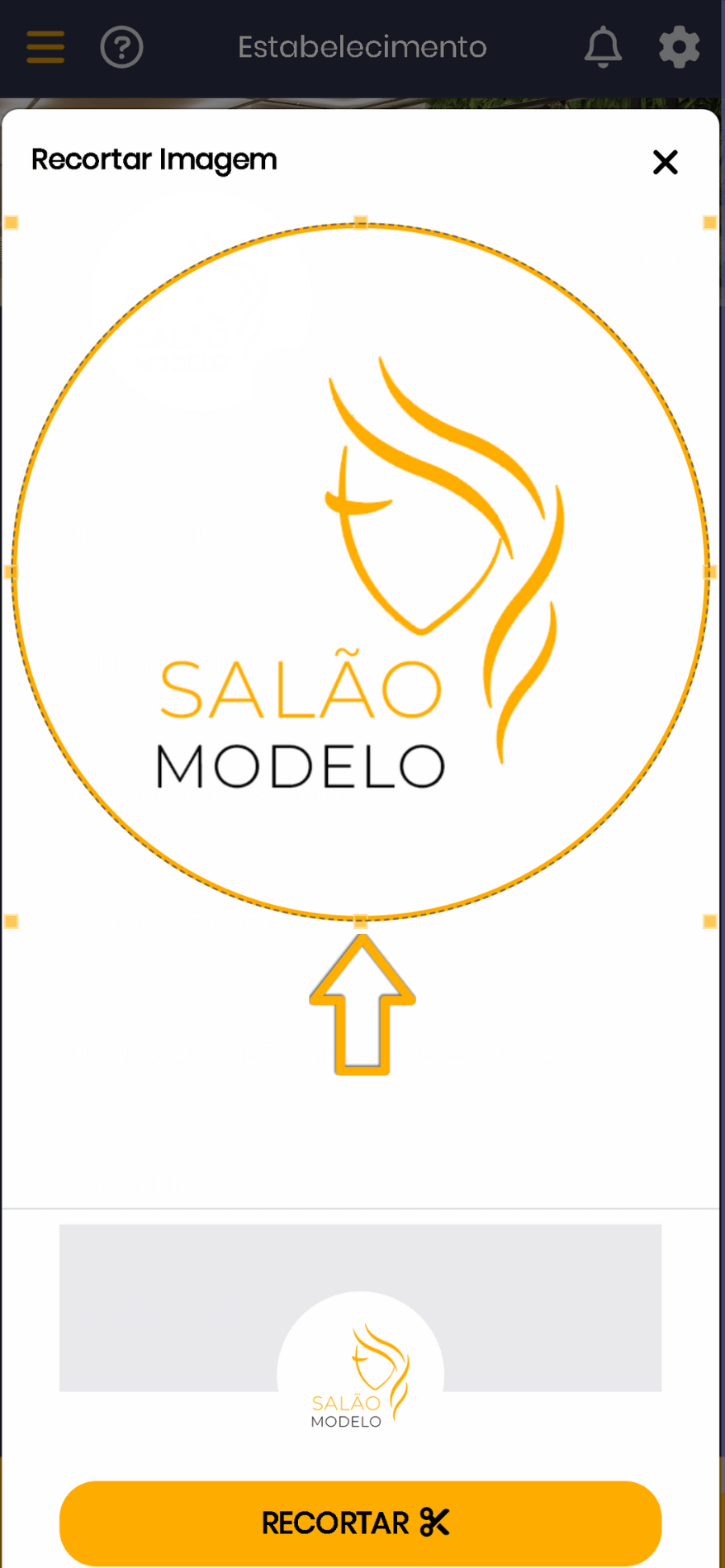
3. Clique em “Recortar” e depois em “Atualizar”
4. Clique em “OK”.
Mais dúvidas

Como excluir um cliente?

July 28, 2023

Posso alterar o horário depois de ter agendado um serviço?

August 12, 2022

How can the App help me get more clients?

August 12, 2022

How do I block or unblock times on my schedule?

August 12, 2022

Como abrir a agenda por 1 mês ou um período específico?

January 29, 2025

I don't have a business tax ID. Can I still use PRKS?

March 9, 2023

How do I top up my balance?

November 4, 2022

How do I set when the reminder message is sent?

November 4, 2022

Need anything else?

Contact our team

Support Hours:
Monday to Friday – 8 AM to 6 PM
Saturday – 8 AM to 12 PM
Except national holidays
Contact Us
  • suporte@perukasapp.com.br
  • Home
  • Terms of Use
  • New Privacy Policy

Social Media

Facebook Instagram Youtube Linkedin

Download our App

Google-play Apple

PRKS © 2022 All rights reserved

Change language to Portuguese